In summary:
- Ottawa’s digital art is more than just a visual spectacle; it’s a fusion of high-end technology and public space.
- To truly experience it, you need to understand the tech, from projection mapping on Parliament to AR overlays on your phone.
- Practical tech management (battery life, camera settings, Wi-Fi) is crucial for a seamless art walk, especially in winter.
- The city’s most exciting creations are born from a hidden ecosystem of artists, universities, and makerspaces.
When night falls on Ottawa, the city transforms. Beyond the stoic government architecture, a vibrant digital canvas comes alive. Many visitors see the brilliant flashes of light on Parliament Hill or the glowing trails of a drive-through show and think they’ve seen it all. They’ve experienced the spectacle, but have they truly engaged with the art? The typical advice revolves around dressing warmly and finding a good viewing spot, but this misses the most exciting part of the story.
The real magic of Ottawa’s modern public art isn’t just in what you see, but in *how* it’s made and *how* you interact with it. It’s an intersection of history, technology, and creativity. From the millions of pixels that paint stories across historic facades to the augmented reality apps that resurrect buildings lost to time, these installations are designed to be more than just passively observed. They are complex technological feats waiting to be explored.
But what if the key to unlocking this deeper experience wasn’t just knowing where to go, but understanding the technology that powers it? This guide takes a different approach. As a digital media artist, I see these installations not just as light shows, but as brilliant examples of creative coding, projection mapping, and interactive design. This isn’t just about finding the best photo op; it’s about appreciating the innovation and learning how to use your own tech to become part of the experience.
This article will guide you through Ottawa’s digital art landscape from a tech enthusiast’s perspective. We’ll decode the complexity of major installations, provide practical tips for photography and device management, and ultimately reveal the hidden creative communities that make Ottawa a surprisingly dynamic hub for art and technology.
Contents: A Digital Artist’s Tour of Ottawa
- Why the “Northern Lights” Show on Parliament Is Technically Complex?
- How to Use the Capitol Tour App to See Buildings That No Longer Exist?
- Glow at Odysseo vs Magic of Lights: Which Drive-Through Is Better?
- The Battery Mistake That Ruins Your Interactive Art Walk
- What Settings Capture the Parliament Light Show Without Blur?
- Why Ottawa’s Public Wi-Fi Network Is a Lifesaver for International Travelers?
- How to Photograph the Parliament Library Without Glare from the River?
- How to Find Ottawa’s Hidden Creative Scene Beyond the Government?
Why the “Northern Lights” Show on Parliament Is Technically Complex?
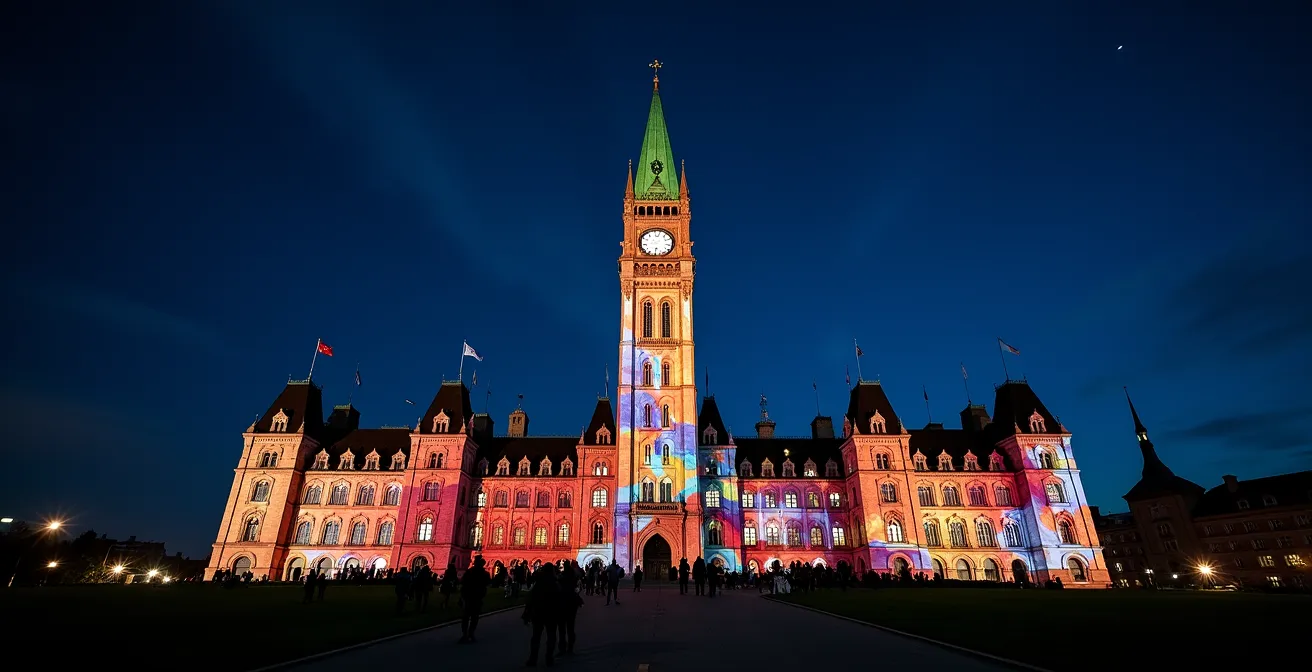
The “Northern Lights” sound and light show on Parliament Hill is a summer tradition, but calling it a “light show” is a massive understatement. It’s a masterclass in large-scale projection mapping. This isn’t a simple movie projected onto a flat screen; it’s a dynamic digital narrative intricately wrapped around the complex, Gothic Revival architecture of the Centre Block. The creative producers, Montreal-based Idées au cube, use state-of-the-art technology to achieve this seamless fusion of light and stone.
The sheer scale of the operation is staggering. The final image is created by a symphony of perfectly calibrated projectors working in unison. According to the technical specifications of the Northern Lights show, it involves 17 projectors creating images 469 feet long and 30 floors high. This digital canvas is composed of over 35 million pixels, which is about 17 times the resolution of a standard HD television. This incredible pixel density is what allows the projections to appear so crisp and lifelike, making it seem as if the building itself is transforming.
This technical prowess isn’t just for show. It allows the artists to tell complex stories about Canadian history, with visuals that respect every curve, window, and turret of the building. To synchronize this massive visual array with the high-fidelity sound, a sprawling network of over 25,000 feet of fiber optic cables and 15 km of lighting control cables is deployed for every season. It’s a temporary, yet monumental, piece of technological infrastructure that turns Parliament Hill into one of the world’s most impressive digital art stages. And the best part for visitors? This technologically advanced experience is completely free to attend.
How to Use the Capitol Tour App to See Buildings That No Longer Exist?
While projection mapping transforms Parliament Hill at night, augmented reality (AR) offers a way to peel back the layers of time during the day. The same stone façade that serves as a canvas for the Northern Lights show becomes a marker for a completely different kind of digital storytelling. Using a dedicated app, you can point your smartphone at the Centre Block and witness a piece of history that vanished a century ago.
The primary goal of this AR experience is to show visitors the building’s dramatic history. An analysis of the project reveals its intent is to show visitors the original Centre Block, which was built in the late 1800s and destroyed by a devastating fire in 1916. The current building is a reconstruction with significant architectural differences. The AR app uses your phone’s camera and GPS to recognize the modern Centre Block and overlays a “ghost” image of the original structure, allowing you to compare the two directly.
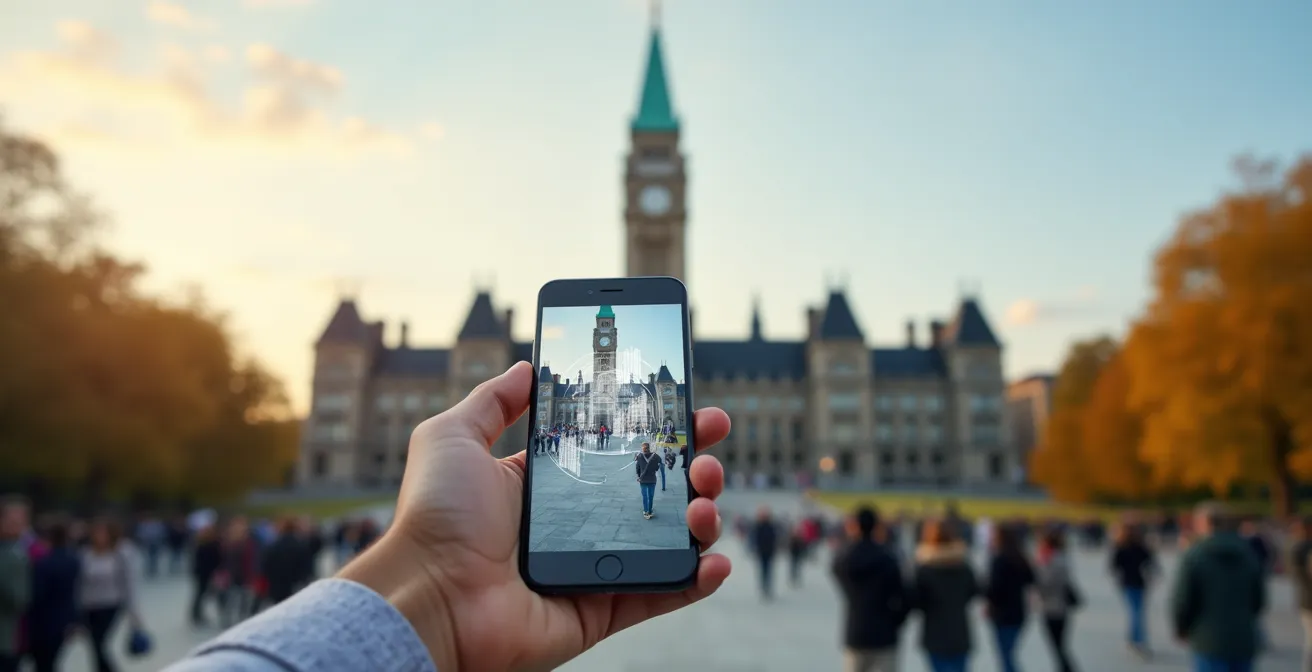
To access this historical overlay, you need to follow a few key steps. The experience is designed around specific viewpoints for optimal GPS and image tracking. First, position yourself at one of the designated AR viewpoints near Centre Block. Launch the application and grant it camera permissions. When you point your device at the building, it will trigger the 1916 historical overlay. From there, you can swipe through a series of archival images that animate the building’s history, from its fiery destruction to its century-long reconstruction. Moving to different angles around the Hill offers varied perspectives on this digital time machine.
Glow at Odysseo vs Magic of Lights: Which Drive-Through Is Better?
When winter blankets Ottawa, drive-through light shows become a popular way to experience large-scale digital art from the warmth of your car. The two biggest names are often Glow and Magic of Lights, but they offer fundamentally different experiences. Glow, held at the EY Centre, is a massive indoor walk-through festival of lights, while Magic of Lights in Nepean is the region’s premier drive-through spectacle. The choice between them depends on whether you prefer an immersive indoor stroll or an expansive, choreographed drive.
For those leaning towards the classic drive-through, Magic of Lights is a technologically impressive event. Running from late November to early January, it transforms Wesley Clover Parks into a dazzling corridor of light. This isn’t just a collection of static Christmas decorations; it’s a 2-kilometer route featuring over 2 million individual LED lights, many of which are part of digital animations that bring festive scenes to life. It has become a beloved family tradition, with its 9th season running from November 22nd, 2024, through January 4th, 2025.
A key differentiator for Magic of Lights is its blend of driving and interactivity. Partway through the route, the Mark Motors Group Holiday Pit Stop allows visitors to park and explore an illuminated walk-through forest trail on foot. This hybrid approach breaks up the drive and provides unique photo opportunities, blending the convenience of a drive-through with the immersion of a walking tour. The following table breaks down the key features of this major event.
| Feature | Magic of Lights | Traditional Displays |
|---|---|---|
| Length | 2 kilometers | Varies |
| Technology | 2 million LED lights with digital animations | Traditional displays |
| Location | Wesley Clover Parks, Nepean | Various Ottawa locations |
| Season | November 22, 2024 – January 4, 2025 | December only |
| Charity Support | Benefits CHEO Foundation | Various causes |
| Interactive Elements | Walk-through forest trail at pit stop | Limited interaction |
The Battery Mistake That Ruins Your Interactive Art Walk
Engaging with Ottawa’s interactive art, especially AR experiences like the Parliament tour, is heavily dependent on one critical piece of technology: your smartphone. However, there’s a common and frustrating mistake that can cut your digital art walk short, and it has everything to do with the city’s climate. The biggest enemy of your phone’s battery isn’t the app itself; it’s the cold. Ottawa’s harsh winter conditions, with temperatures regularly reaching -10°C and below, can slash your battery’s capacity and performance dramatically.
Lithium-ion batteries, found in all modern smartphones, experience a significant slowdown in their chemical reactions at low temperatures. This means your phone might shut down even when it claims to have 30% or 40% charge left. Compounding this, AR applications are notoriously power-hungry, draining battery life up to three times faster than normal use because they constantly engage the camera, GPS, and processor. The combination of a demanding app and a cold-weakened battery is a recipe for a dead phone right when you’re about to see a digital ghost from 1916 appear.
Avoiding this pitfall requires a proactive battery management strategy. It’s not just about starting with a full charge; it’s about actively protecting your device from the elements and planning for the inevitable power drain. This simple checklist can make the difference between a full evening of discovery and a frustratingly short one.
Your Action Plan: Winter-Proofing Your Devices
- Keep your phone in a warm inside jacket pocket between AR sessions to maintain its core temperature.
- Start your art walk with a 100% battery charge, knowing that AR apps can be extremely demanding.
- Carry a fully charged 10,000mAh (or larger) power bank with the appropriate cable for emergency recharging.
- Avoid using Low Power Mode, as it often throttles the very GPS and processing power needed for AR experiences to function correctly.
- Plan your route to include potential recharge stops at cafes on Sparks Street or venues in the ByWard Market with public outlets.
What Settings Capture the Parliament Light Show Without Blur?
Photographing a massive, dynamic projection on a building at night is a unique challenge that frustrates many visitors. The result is often a blurry mess that fails to capture the spectacle’s grandeur. The key is to take control of your camera’s settings, whether it’s a DSLR or a smartphone. The motion of the projections and the low light conditions are working against you, but with the right approach, you can get crisp, vibrant shots.
The number one enemy is motion blur. To freeze the intricate animations of the Northern Lights show, you need a sufficiently fast shutter speed. For a DSLR or mirrorless camera, switching to Shutter Priority mode (TV or S) and setting it between 1/30s and 1/60s is a great starting point. This forces the camera to prioritize a sharp image over gathering more light. Because autofocus systems can struggle to find a target on the shifting projections, it’s best to use manual focus. Before the show begins, focus on a high-contrast element of the building, like a window frame or the edge of the Peace Tower, and leave it there.

For smartphone photographers, the “Pro” or “Manual” mode is your best friend. Here, you can manually set the ISO (your camera’s sensitivity to light) to a fixed value like 400 or 800 to balance brightness and noise, and adjust the shutter speed. Regardless of your device, the most critical piece of equipment is a tripod or a flexible mount like a GorillaPod. The 30-minute duration of the show is too long to hold a camera perfectly still, and stability is non-negotiable for sharp night shots. You might even consider a time-lapse to capture the beautiful narrative flow of the entire show.
Why Ottawa’s Public Wi-Fi Network Is a Lifesaver for International Travelers?
In an era where digital art requires companion apps and online content, reliable internet access is no longer a luxury—it’s a necessity. For international travelers exploring Ottawa’s tech-infused art scene, the city’s extensive public Wi-Fi network is an absolute lifesaver, saving them from costly data roaming charges and ensuring they can fully participate in interactive experiences.
Many of the city’s most innovative installations, from AR historical overlays to guided digital art walks, require you to download apps or stream content. As noted by organizations like the Digital Arts Resource Centre (DARC), which fosters artist development, access to online resources is fundamental to the growth and exhibition of media art. Without a stable connection, a visitor’s smartphone becomes a simple camera, locked out of the interactive layers that make these pieces so compelling.
Fortunately, the City of Ottawa has deployed a robust public network, “Connect Cité Wi-Fi,” in key tourist and cultural areas. This allows visitors to download a multi-megabyte AR app on Parliament Hill, pull up a map of public art in Confederation Park, or check for pop-up events while in the ByWard Market without a second thought. For a seamless experience, it’s wise to know where these hotspots are located.
- Connect to “Connect Cité Wi-Fi” at Parliament Hill for AR experiences and streaming show information.
- Access free Wi-Fi at Confederation Park while exploring its various interactive installations and sculptures.
- Use the numerous hotspots in the ByWard Market area for downloading art walk apps before you start your tour.
- Connect at public libraries, such as the main branch near many downtown art zones, for fast downloads and app updates.
- For enhanced security, enable a VPN before accessing personal accounts or making payments on any public network.
How to Photograph the Parliament Library Without Glare from the River?
One of the most iconic views of Parliament Hill includes the magnificent Library of Parliament, with the Ottawa River in the foreground. While beautiful, this vantage point presents a significant photographic challenge at night, especially during the light show: glare. Reflections from the river, wet pavement, and other surfaces can create distracting bright spots that ruin an otherwise perfect shot. With the Northern Lights show having attracted more than 1.5 million spectators since its inception, finding a good, glare-free position is a competitive art in itself.
The most effective tool for a photographer in this situation is a Circular Polarizer (CPL) filter. This simple accessory, which screws onto the front of your camera lens, works just like polarized sunglasses. By rotating the filter, you can dramatically cut down or even eliminate reflections from non-metallic surfaces like water and glass. This allows the rich colours of the projection and the deep tones of the night sky to come through without being washed out by glare.
Your position is also critical. Shooting from a higher elevation, such as from the Alexandra Bridge, changes your angle to the water and can significantly minimize river reflections in your frame. Another excellent strategy is to cross the river entirely and shoot from the Gatineau side, near the Canadian Museum of History. This provides a completely different angle on the reflections and often yields a cleaner view. If you’re shooting on a smartphone and a CPL filter isn’t an option, don’t despair. In post-processing, apps like Snapseed or Adobe Lightroom Mobile have a powerful “Dehaze” slider that can work wonders in reducing atmospheric and surface glare to bring back detail and contrast to your image.
Key Takeaways
- Ottawa’s main art shows are sophisticated technological productions, not just simple light displays.
- Interactive experiences rely on your own tech; managing battery life and camera settings is essential.
- The city’s public Wi-Fi is a critical tool for accessing the full potential of digital and AR art, especially for tourists.
How to Find Ottawa’s Hidden Creative Scene Beyond the Government?
The spectacular public art on display across Ottawa is just the tip of the iceberg. These polished productions are fueled by a deep, vibrant, and often hidden creative scene of digital artists, makers, and innovators. While the city is known for government, its soul is also forged in the studios, makerspaces, and university labs where the next generation of interactive art is born. To truly understand Ottawa’s digital art landscape, you must look beyond the official venues and tap into this creative ecosystem.
Institutions like the University of Ottawa and Carleton University are crucial incubators for talent. The uOttawa Library’s Digital Skills Hub, for example, provides students with access to tools like the Adobe Creative Suite and a podcasting studio, fostering the very skills needed to create digital content and media art. The end-of-year showcases at these universities are fantastic opportunities to see raw, experimental work from emerging artists before they hit the mainstream.
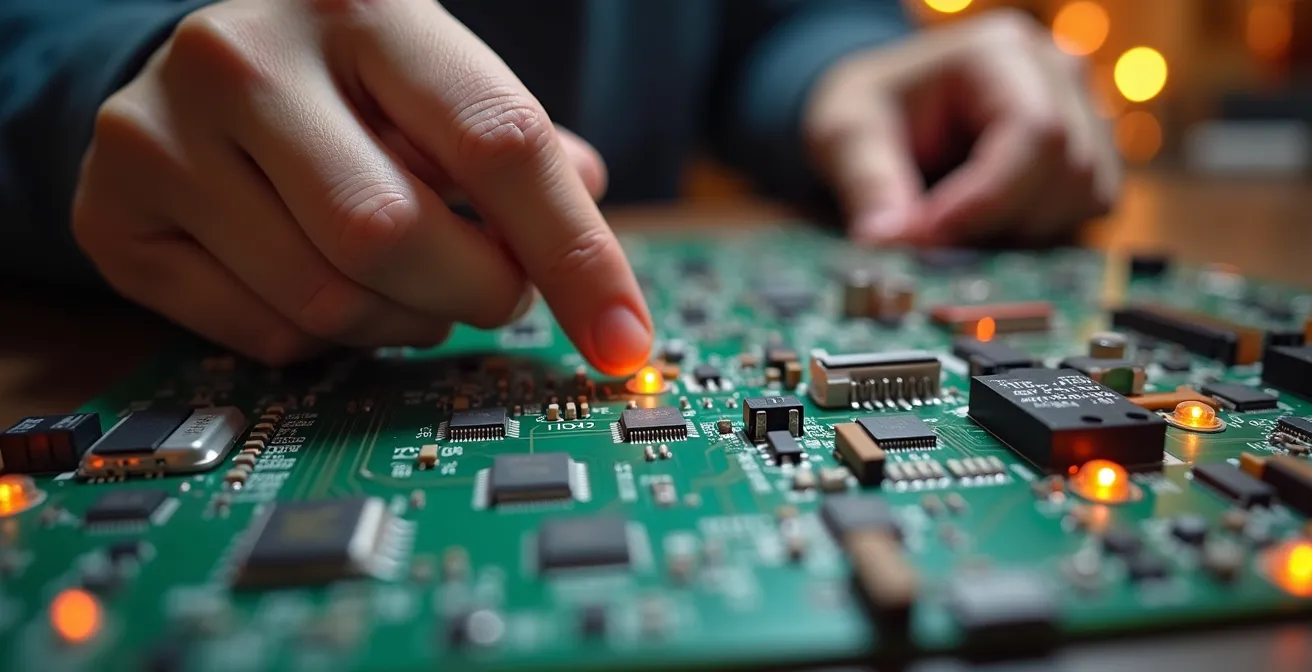
Beyond academia, independent organizations and spaces are the lifeblood of the community. The Digital Arts Resource Centre (DARC) offers equipment, mentorship, and programming for media artists. Meanwhile, places like Makerspace North provide a collaborative environment where art and technology physically intersect, with artists and engineers working on everything from interactive sculptures to custom LED controllers. Exploring the galleries in neighbourhoods like Hintonburg and Wellington West can also reveal exhibitions focused on digital mediums. The best way to find this scene is to connect with it directly.
- Follow the hashtags #ArtTechOttawa and #OttawaArt on social media for pop-up events and artist features.
- Visit the Carleton and University of Ottawa end-of-year digital media student showcases.
- Explore Makerspace North during one of their public open houses to see art-tech collaborations up close.
- Check the listings for galleries in Hintonburg and Wellington West that specialize in contemporary and new media art.
- Become a member or attend a workshop at the Digital Arts Resource Centre (DARC) to connect with the local community.
Now that you have the tools and knowledge to see beyond the surface, the next step is to get out and explore. Dive into the city’s hidden networks, engage with the technology, and experience Ottawa’s digital art scene not just as a tourist, but as an informed enthusiast.